General commentary
The assessment of learning was largely well done by our class.
As needed, students are encouraged to practice further with these concepts. Once that additional practice has been verified, another opportunity to demonstrate your understanding may be offered – understanding that time is finite – Mr. Gordon’s time and your own – so these opportunities are not unlimited.
Example solutions
What you see below represent example solutions – one way to obtain the desired output – not necessarily the only way:
Key concepts
This assessment checked your understanding of:
- how to select a subset of columns from a table
- how to limit the rows returned, using a
WHEREclause with various ways to indicate rows that should be retained- using multiple criteria to indicate rows that should be retained
- ordering a result set, with one or multiple criteria
- limiting the rows returned from a result set
- joining tables
- both an
INNER JOINand aLEFT JOINoperation - joining more than one table
- both an
- very briefly, grouping results and using aggregate functions
NOTE
The final question that involved grouping results and using aggregate functions was considered a “bonus” for this assessment, as we did not have much time to practice with these concepts before writing the assessment of learning.
Common foibles
What were some trends in this assessment of learning? What can we apply to write better SQL queries in the future? Read on.
Handling “ties” when sorting
Although questions four and five did not require sorting by name as a second criteria, it’s a good idea to do so.
Imagine if the two blends of coffee both sold for $16.99. It would be nice to see the resulting coffee blends shown in alphabetical order.
Missing this does not “count against you” – using a second sort criteria is just a good practice to adopt going forward, in this type of situation.
Grouping by a unique identifier
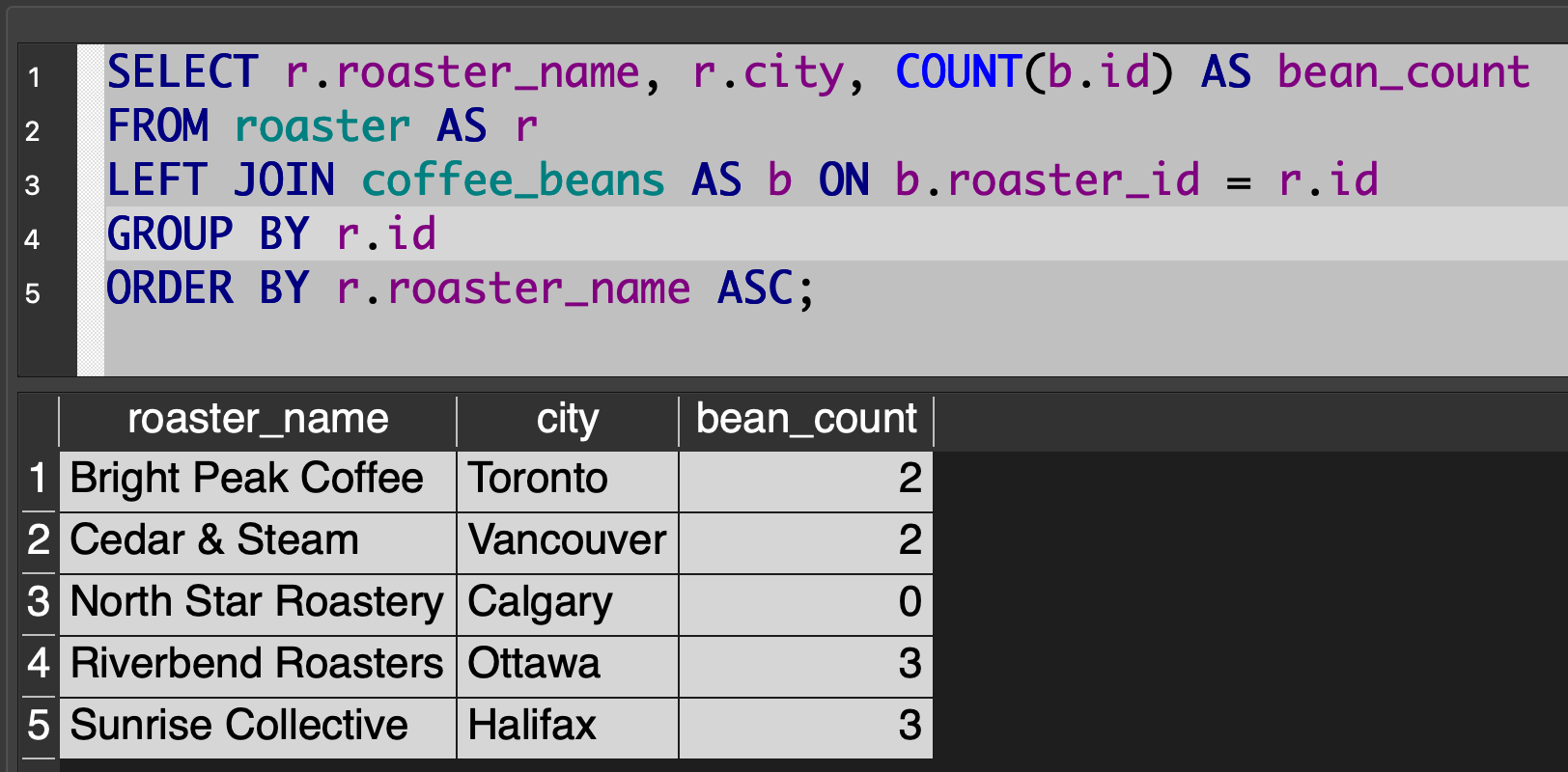
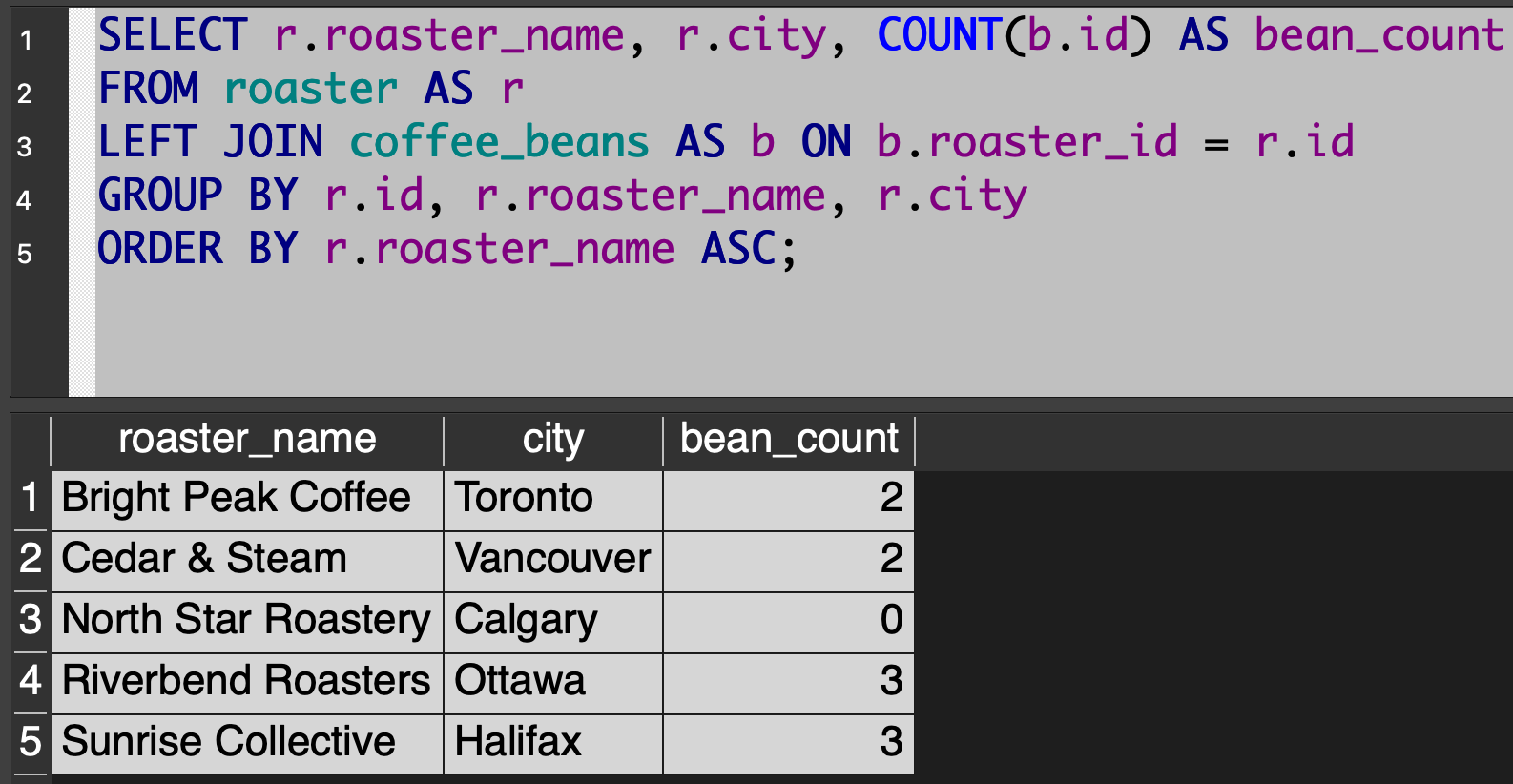
The bonus question, number 8, involved writing a query to count the number of blends made by each roasting company, including companies that exist but do not (currently) sell any blends of coffee. This question existed, in part, to check that you know when to use a LEFT JOIN.
This question also exists to see where you know when to use GROUP BY and how to employ the COUNT aggregate function.
When grouping, some students chose to group based on the names of the roasting companies. This is not a great practice – imagine if (with a larger data set) we had multiple roasting companies with the same name (but perhaps in different cities). It’s therefore better to group based on the unique identifier for each roasting company in the database: roaster.id. In this way, even if two roasting companies had identical names, we’d get an accurate count of how many bean blends each company has made.
Again – this is a very subtle point, and missing this did not “count against” anyone in this assessment of learning.
Counting without grouping
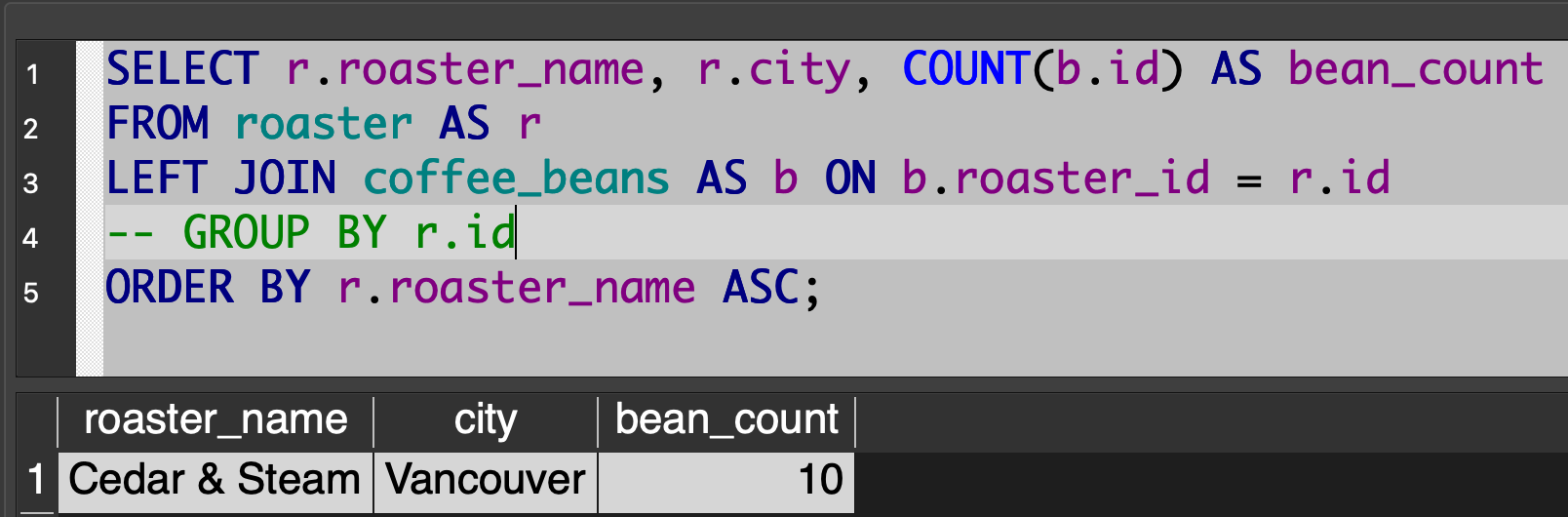
GROUP BY almost always goes hand-in-hand with using aggregate functions, unless you want to use an aggregate function on all the rows returned by a query.
In question 8, we want the count of beans made by each roasting company, so we must remember to use the GROUP BY clause to ensure we are not counting beans made by all roasting companies.
Consider the difference between the results of these two queries:
Here, the GROUP BY clause is commented out:
Order of tables with LEFT JOIN
The order of tables matters when using a LEFT JOIN operation.
Here is a query that gives the expected output for question 8:
Here is a query with the order of the tables reversed – notice how the query selects first from the coffee_beans table – when we do this, the roasting company North Star Roastery, which has no bean blends on the market at present, is omitted:
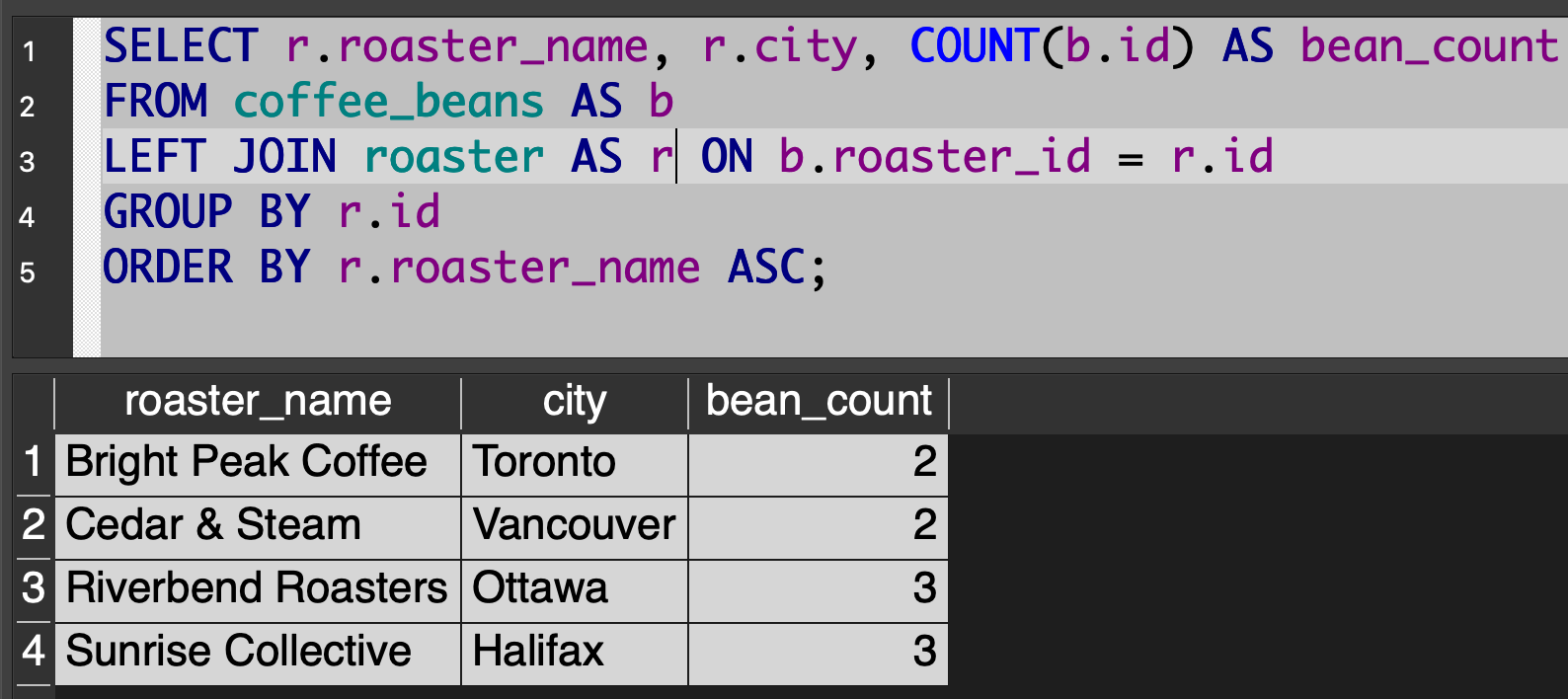
Bottom line, start by selecting from the table that has all of the “things” you want to include in the result set. In this query, we wanted to include roasters that do not sell any bean blends – that is, all the roasting companies – so we have to start by selecting from the roaster table first.
Exact matches
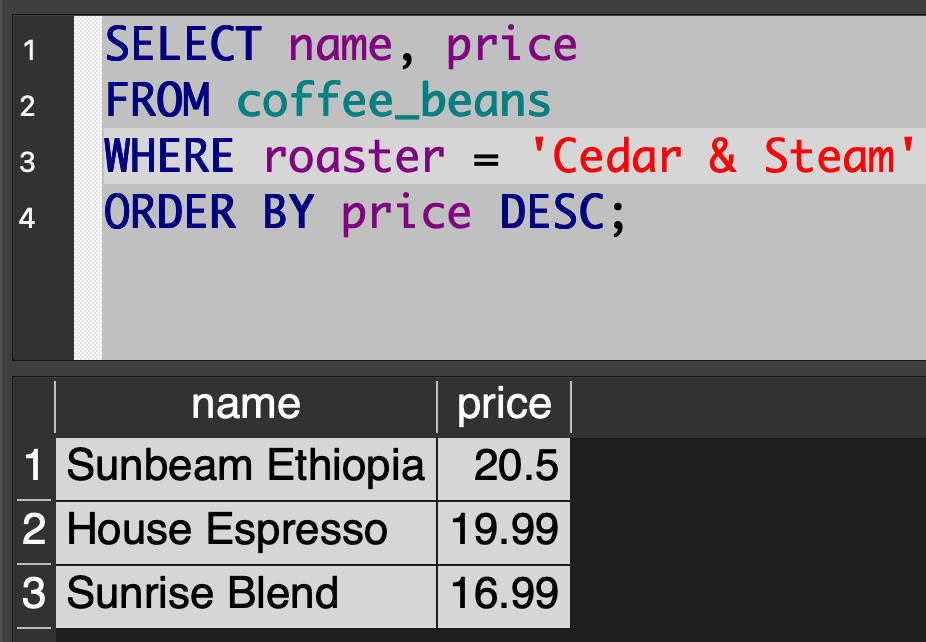
When you are looking to find rows with an exact match for a string, as with question 2, it is better to use = for the comparison.
For example, this works:
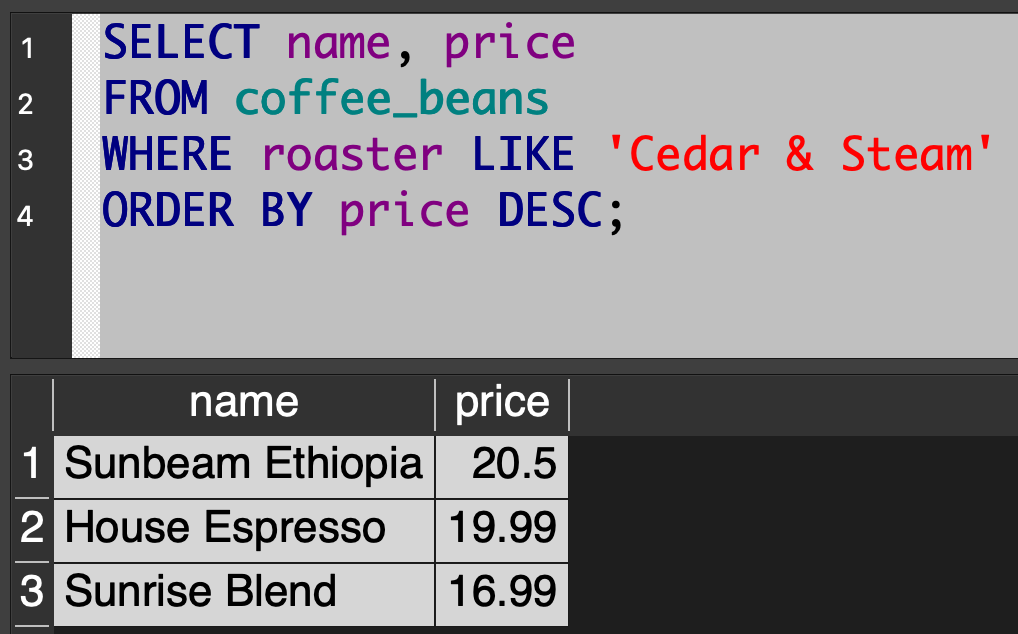
… but the database (on a large table) will return the results faster if the query is written this way:
Multiple criteria for WHERE
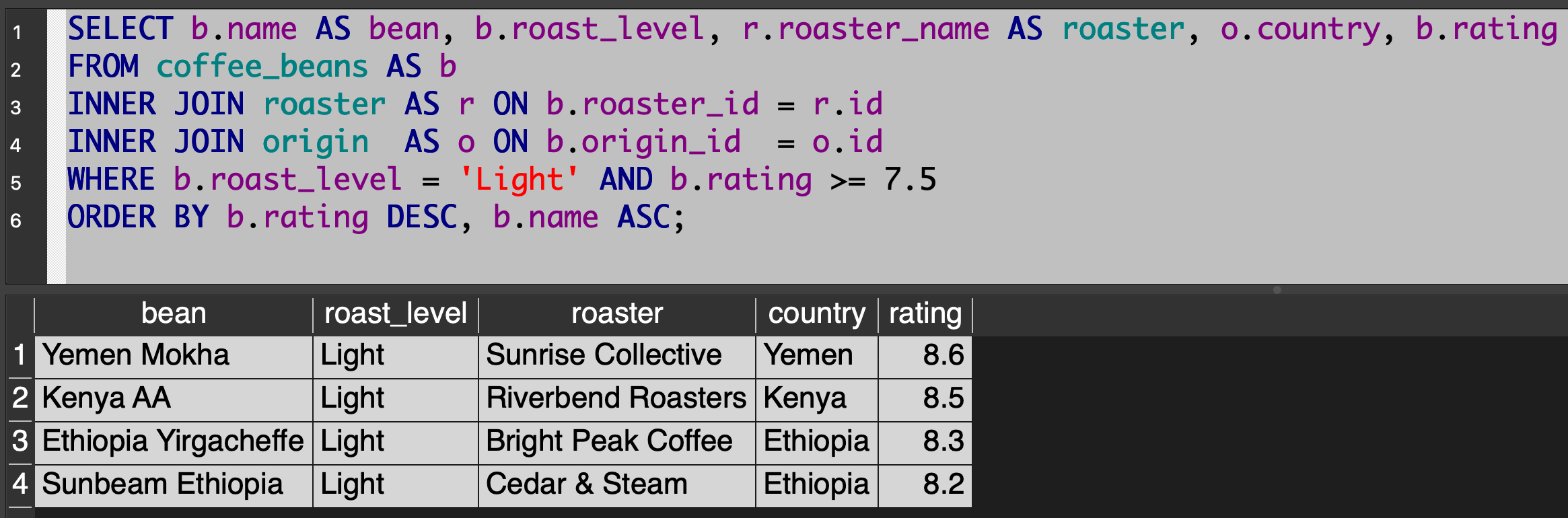
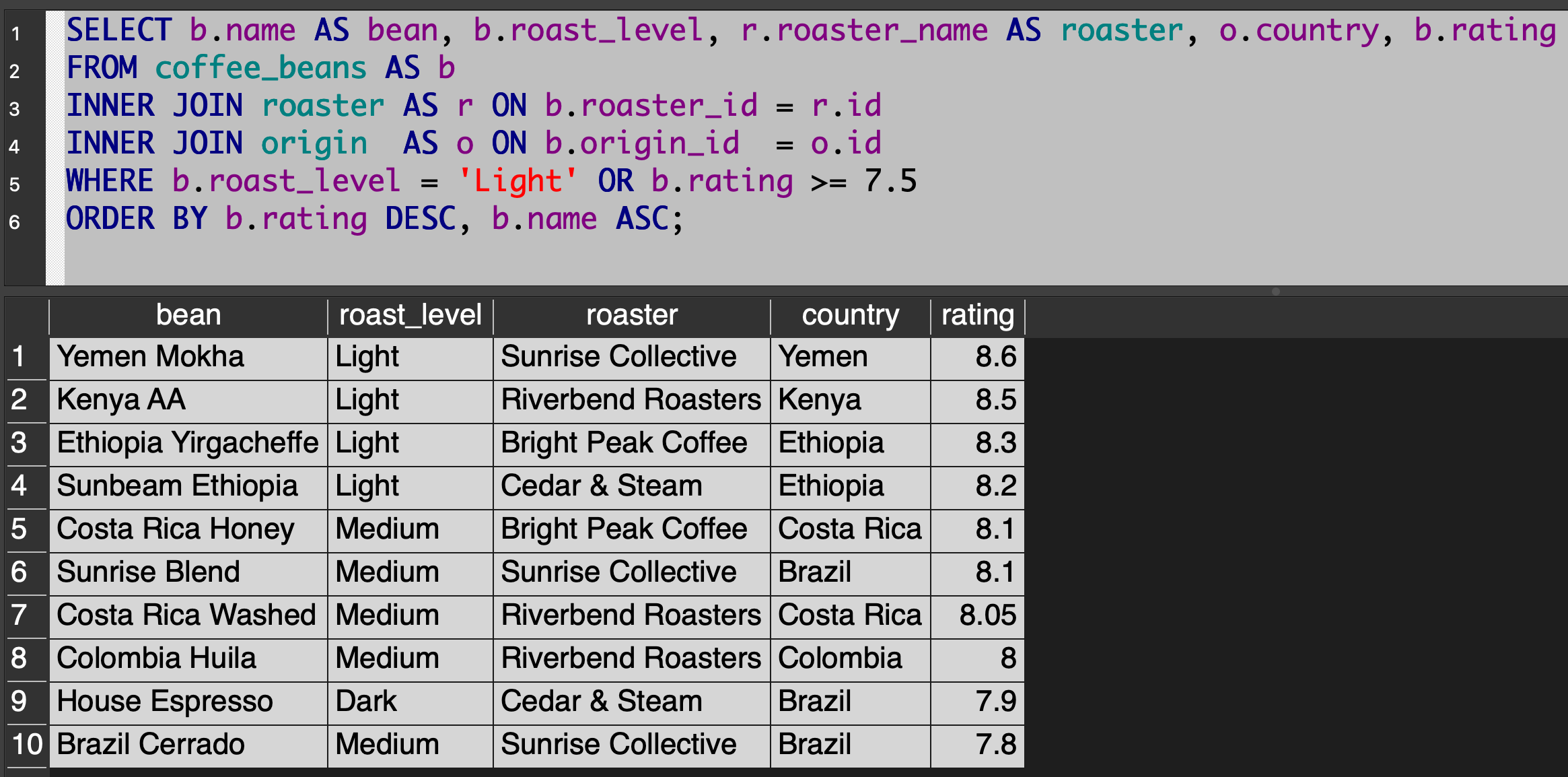
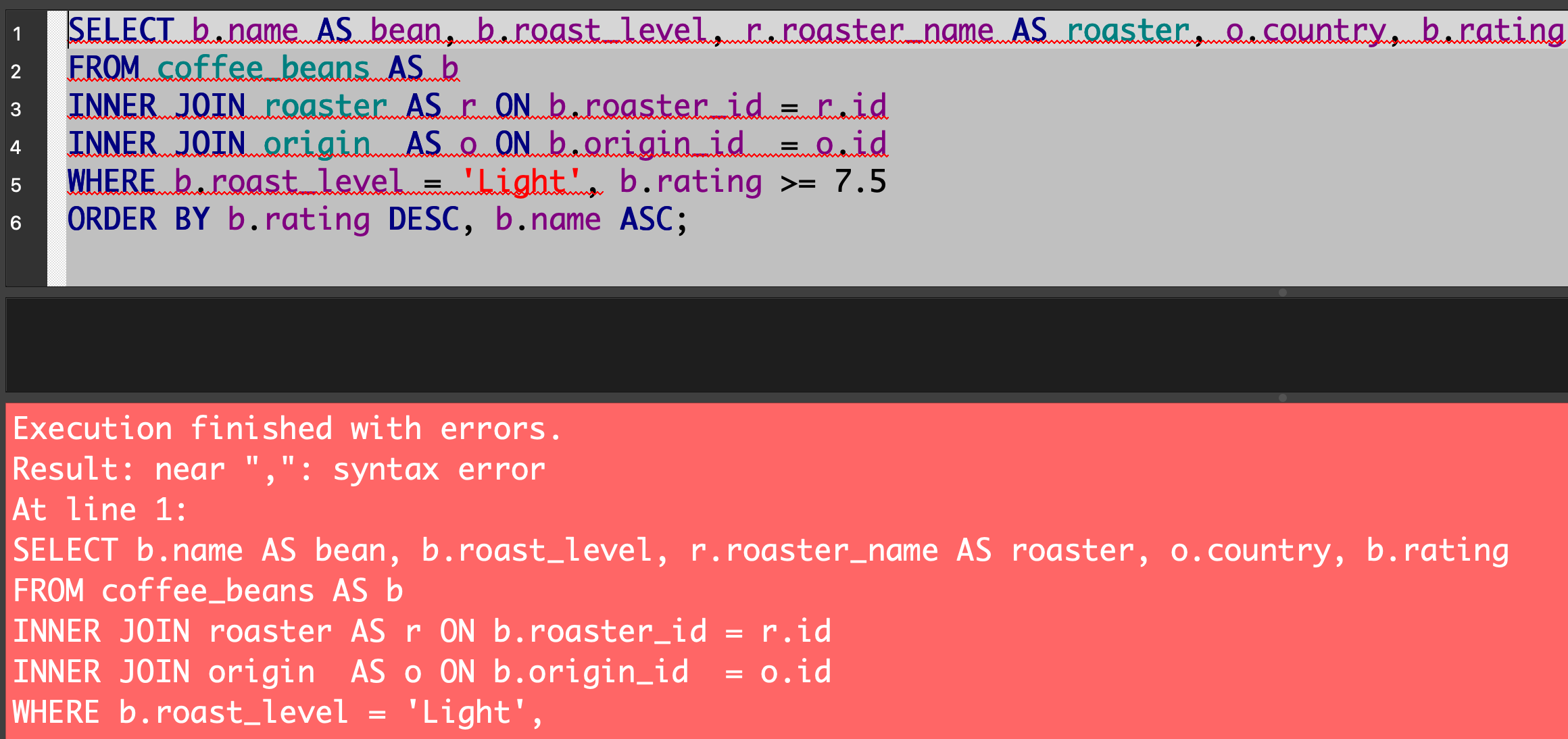
If you are using multiple criteria to indicate what rows should be retained while using a WHERE clause, you must use AND or OR to do so. A comma is ambiguous – the database doesn’t know whether you mean AND – do both criteria have to be true to include the row – or OR, as when either the first criteria or the second criteria could be true to include the row.
Let’s say the threshold for rating for question 7 was 7.5 rather than 8.2. Using AND we get:
Using OR we get:
Using a comma, we get:
ORDER BY comes last
This works:
This does not:
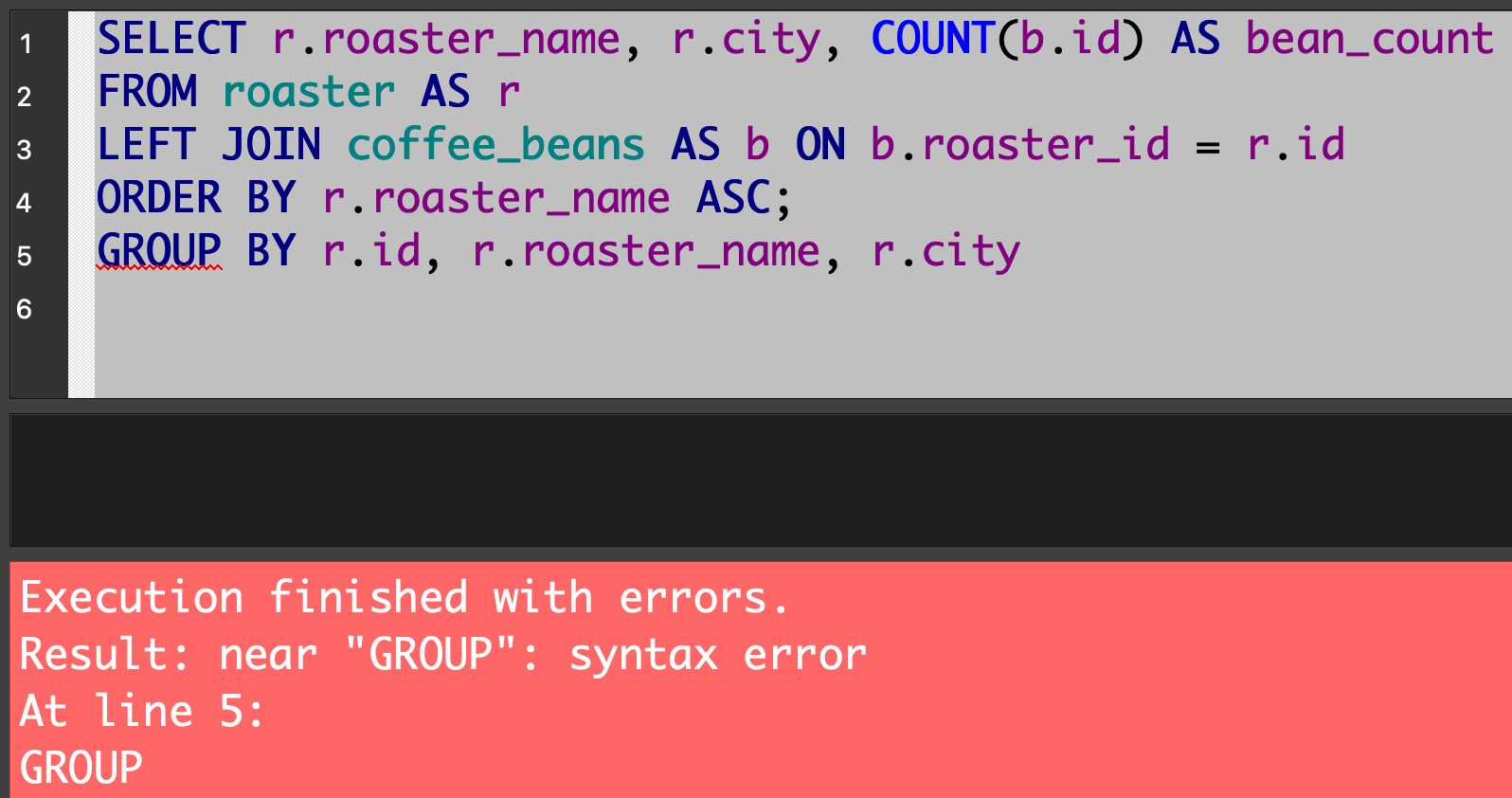
Here is a brief explanation from ChatGPT regarding why this the way SQL works.
JOIN vs. INNER JOIN
This query:
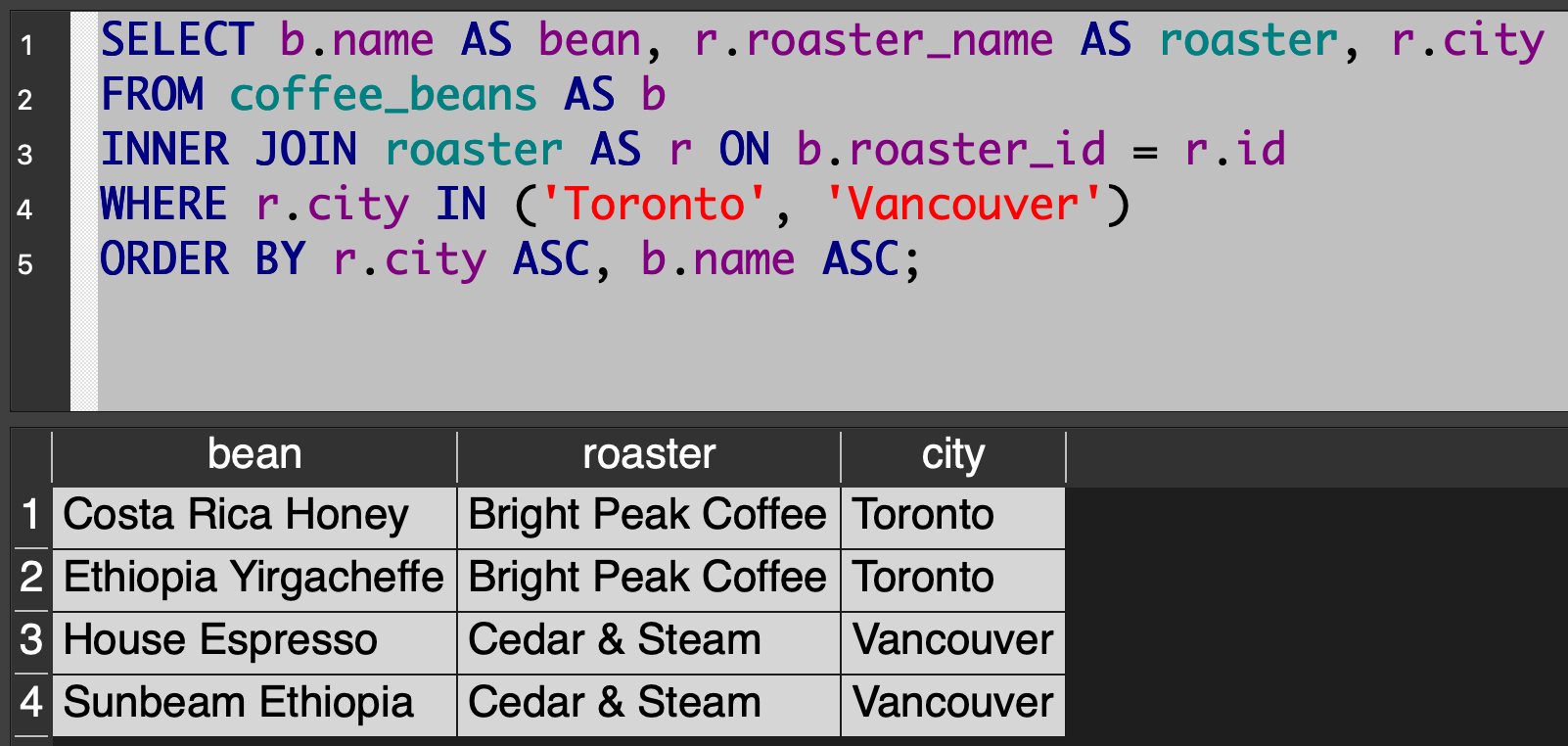
… produces the same results as this query:
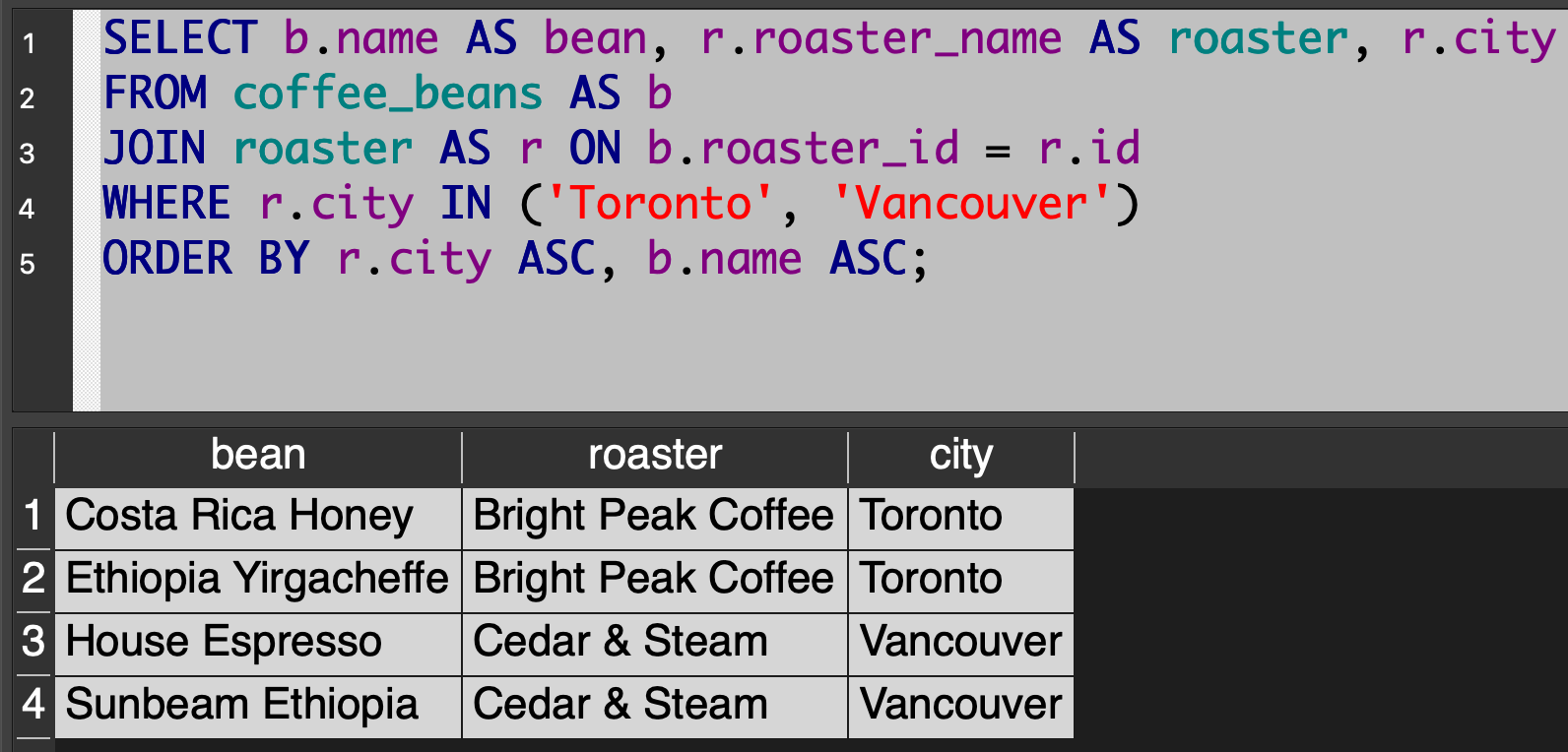
We prefer the first version of the query, as it makes the intent just a bit more clear.
Anyone who used JOIN alone in their response to questions where INNER JOIN was expected were not penalized in any way – this is just a style preference that we should all adopt going forward.