To complete this exercise, please download the following project, then expand the Zip file, and open the project:
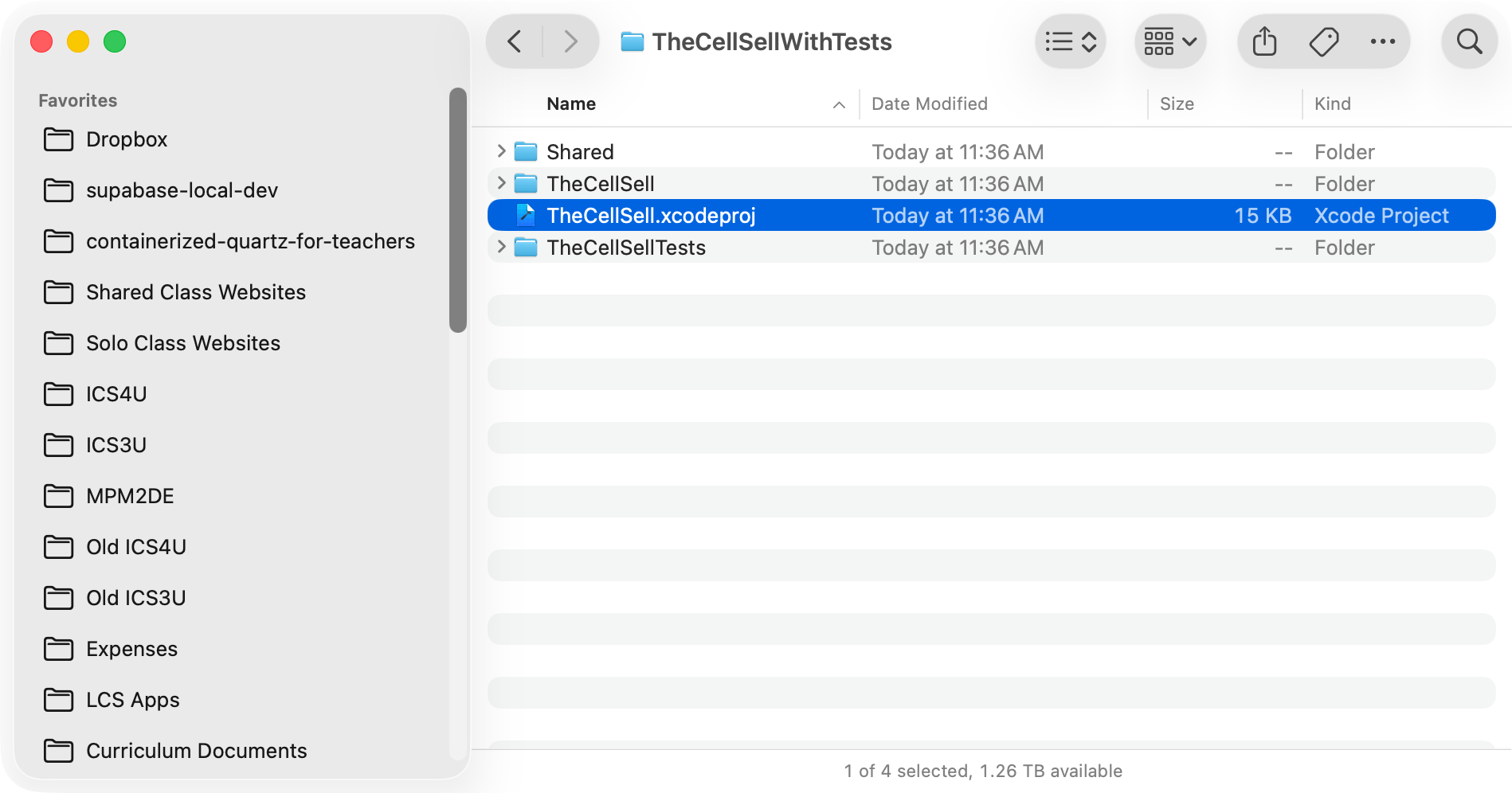
… so it looks like this in Xcode:
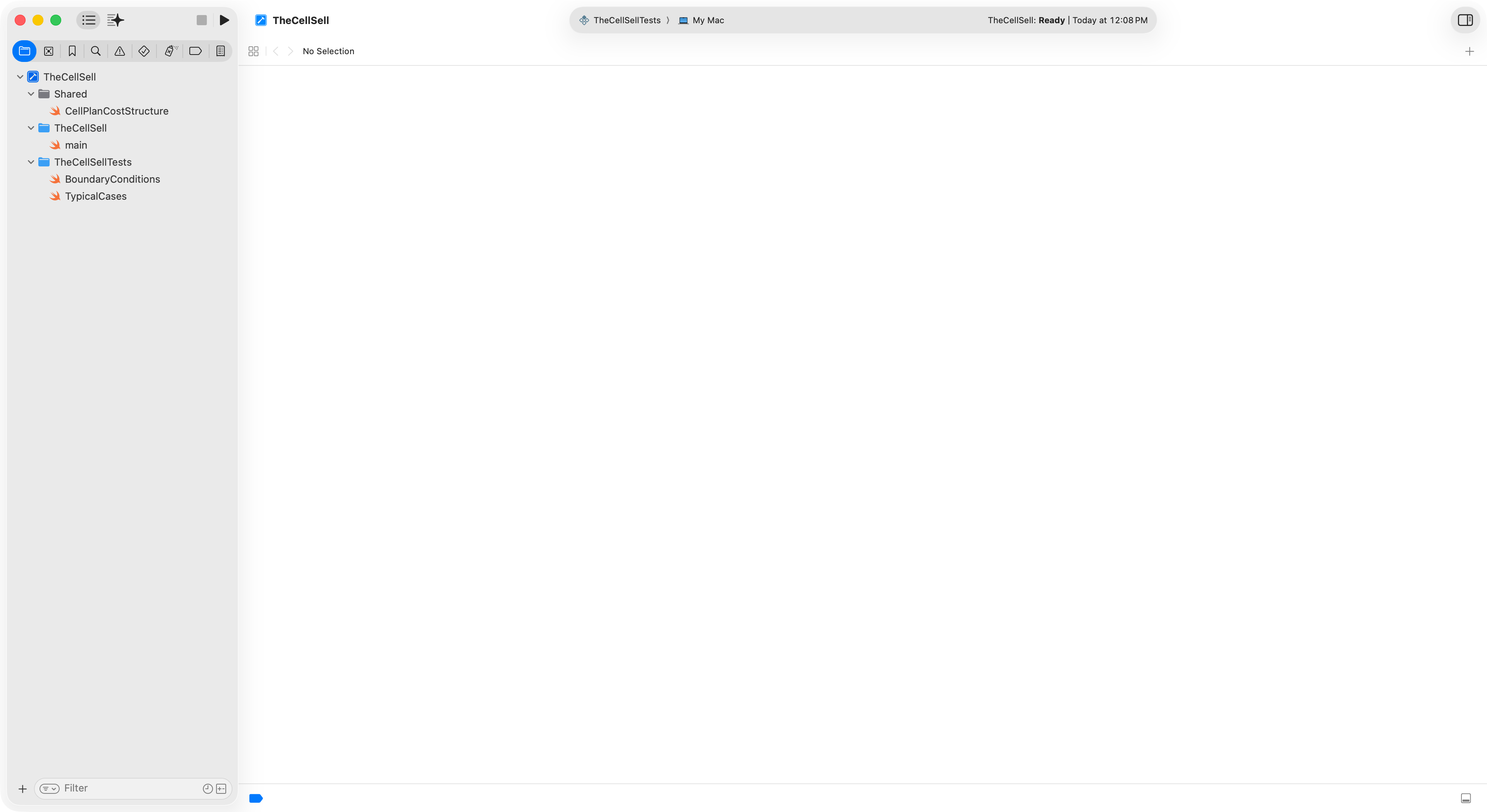
Multiple targets
This Xcode project contains two targets – you can see them if you select the blue project file at top-left:
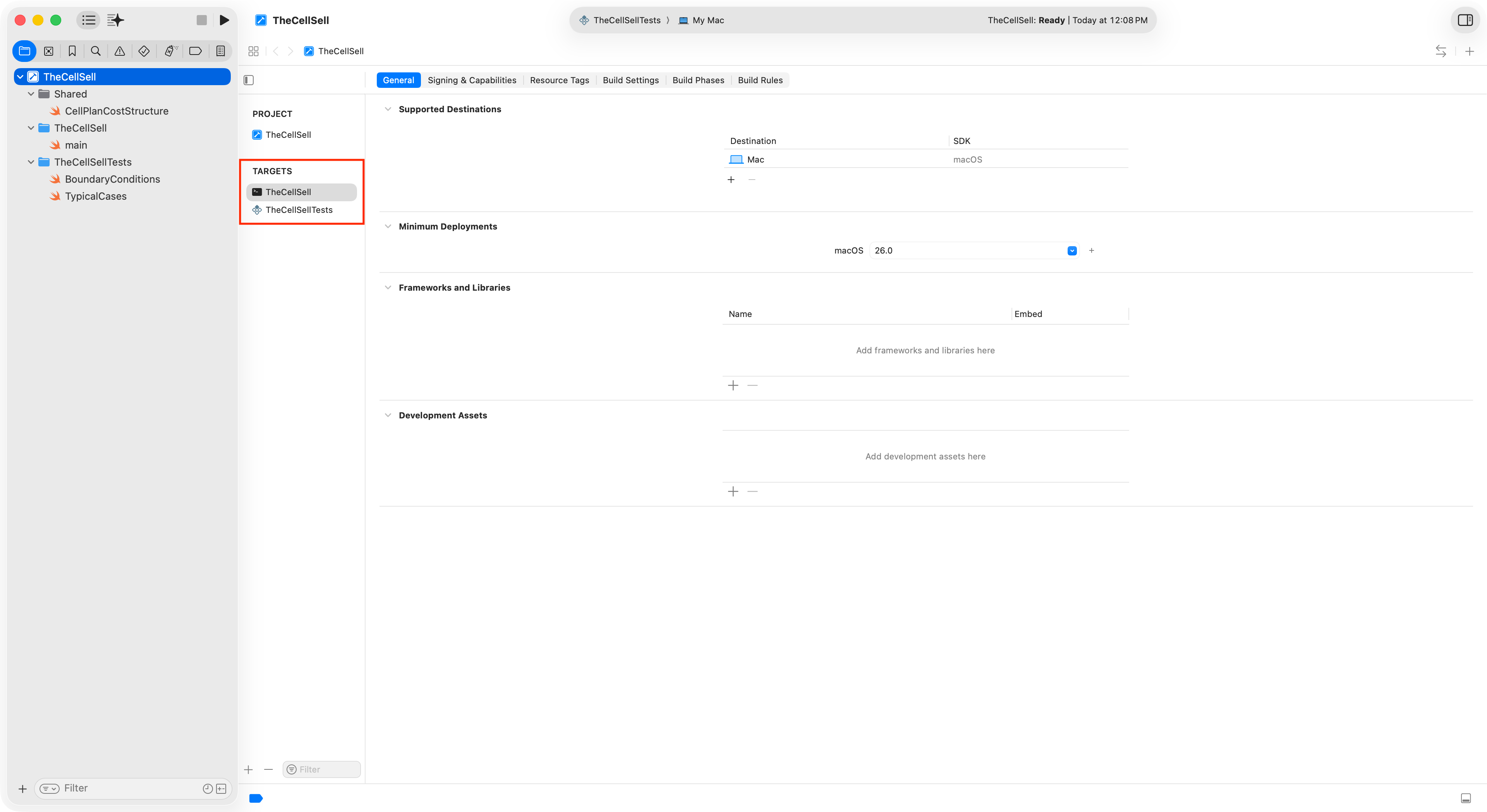
Run interactively
By selecting TheCellSell scheme, following this two-step click process:
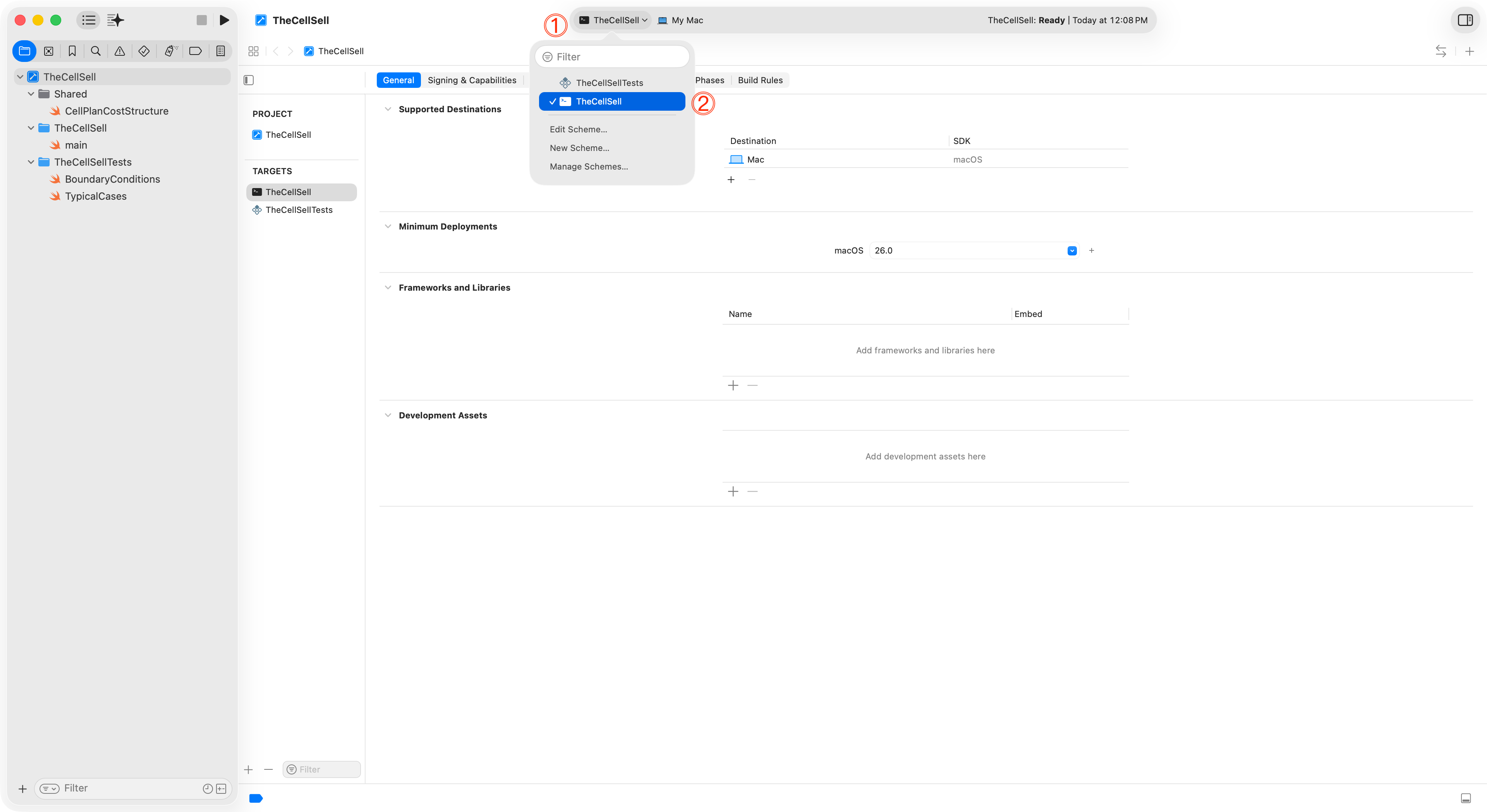
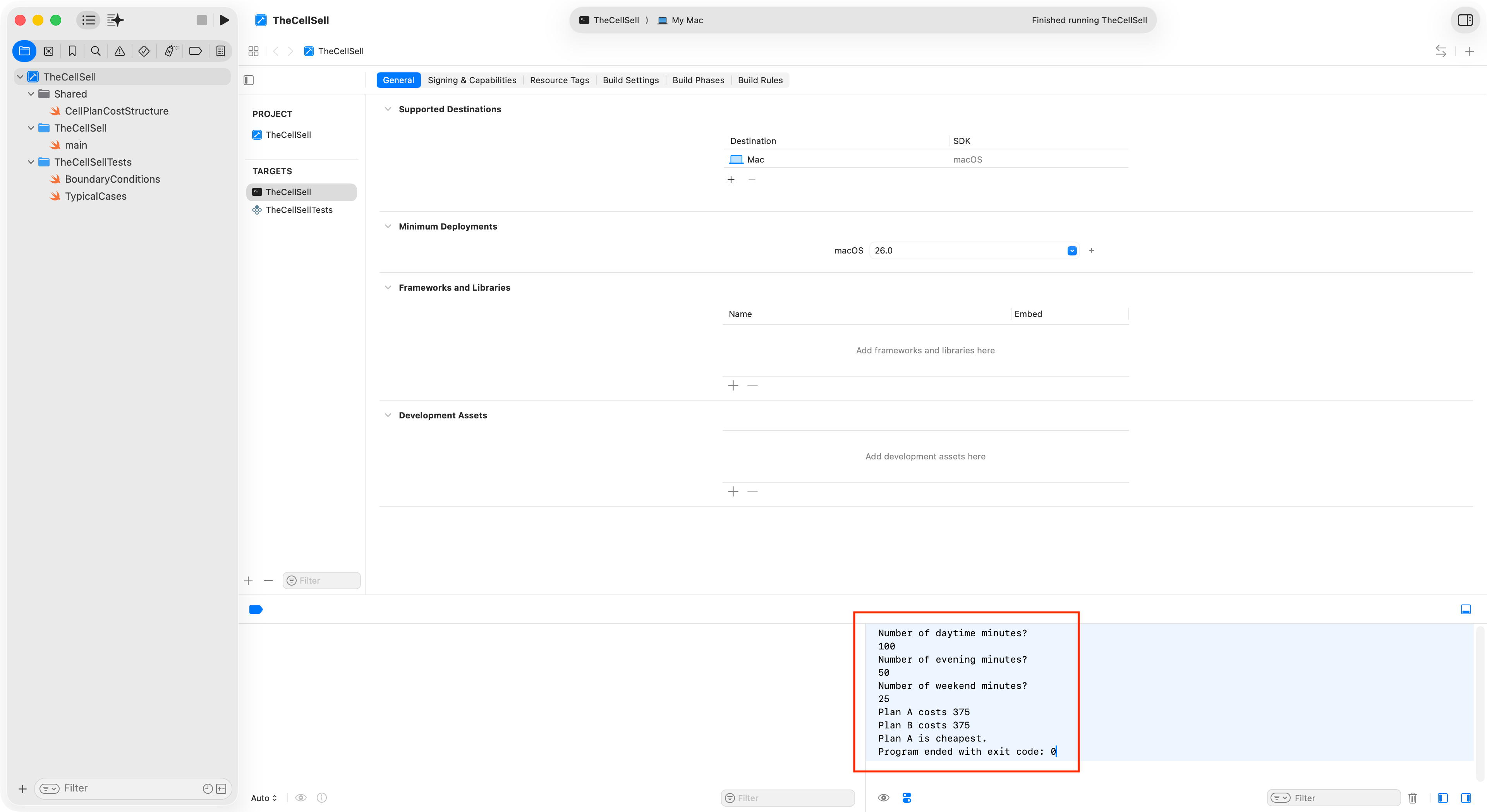
… then pressing Command-R, you can run the program logic interactively, like you did earlier in this module:
Run the test suite
Be selecting TheCellSellTests scheme, following this two-step click process, then pressing Command-U, you can run all of the defined unit tests:
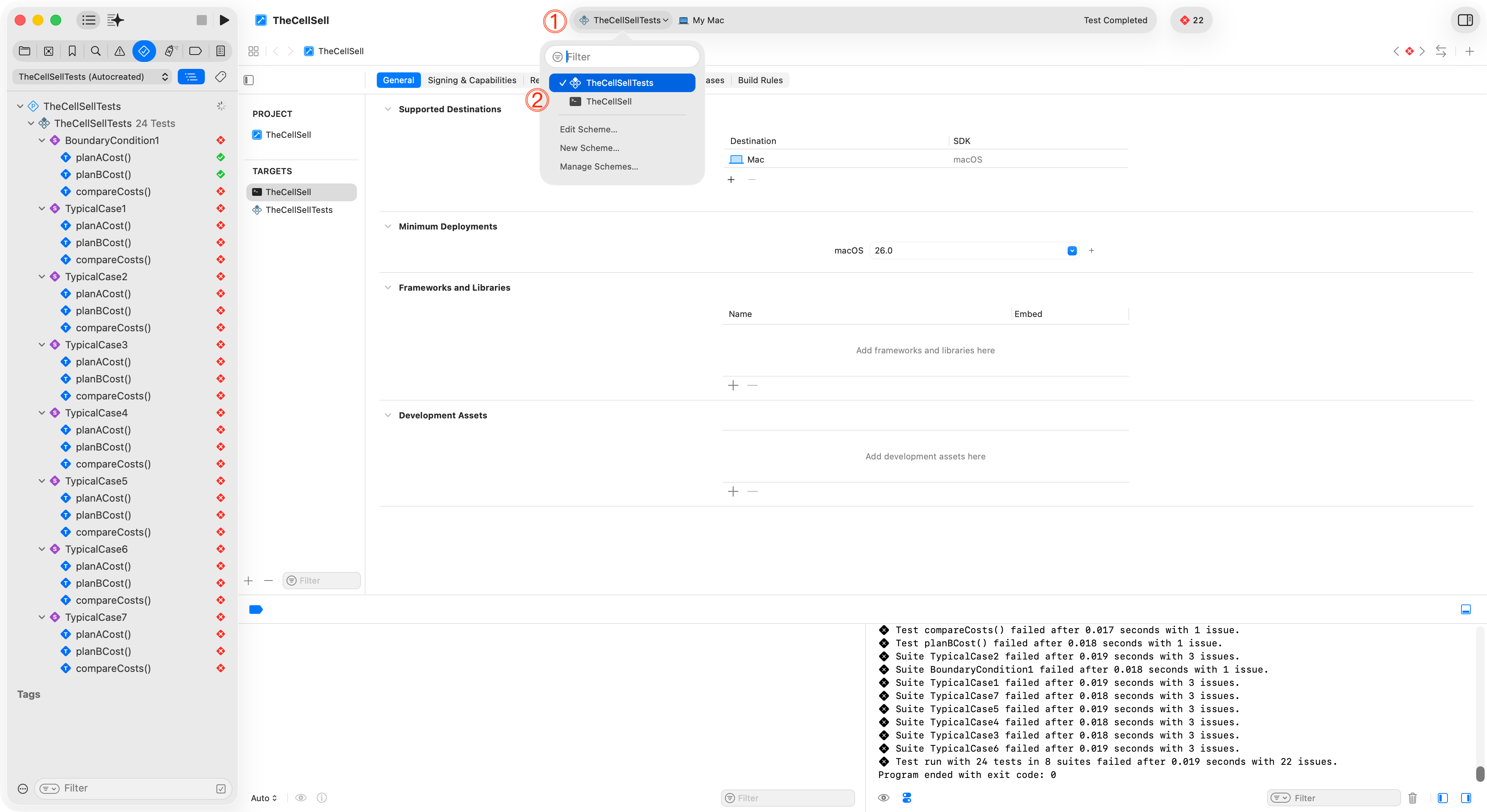
As you can see, many of the tests currently fail. We will return to this in a moment.
Review code
Program logic
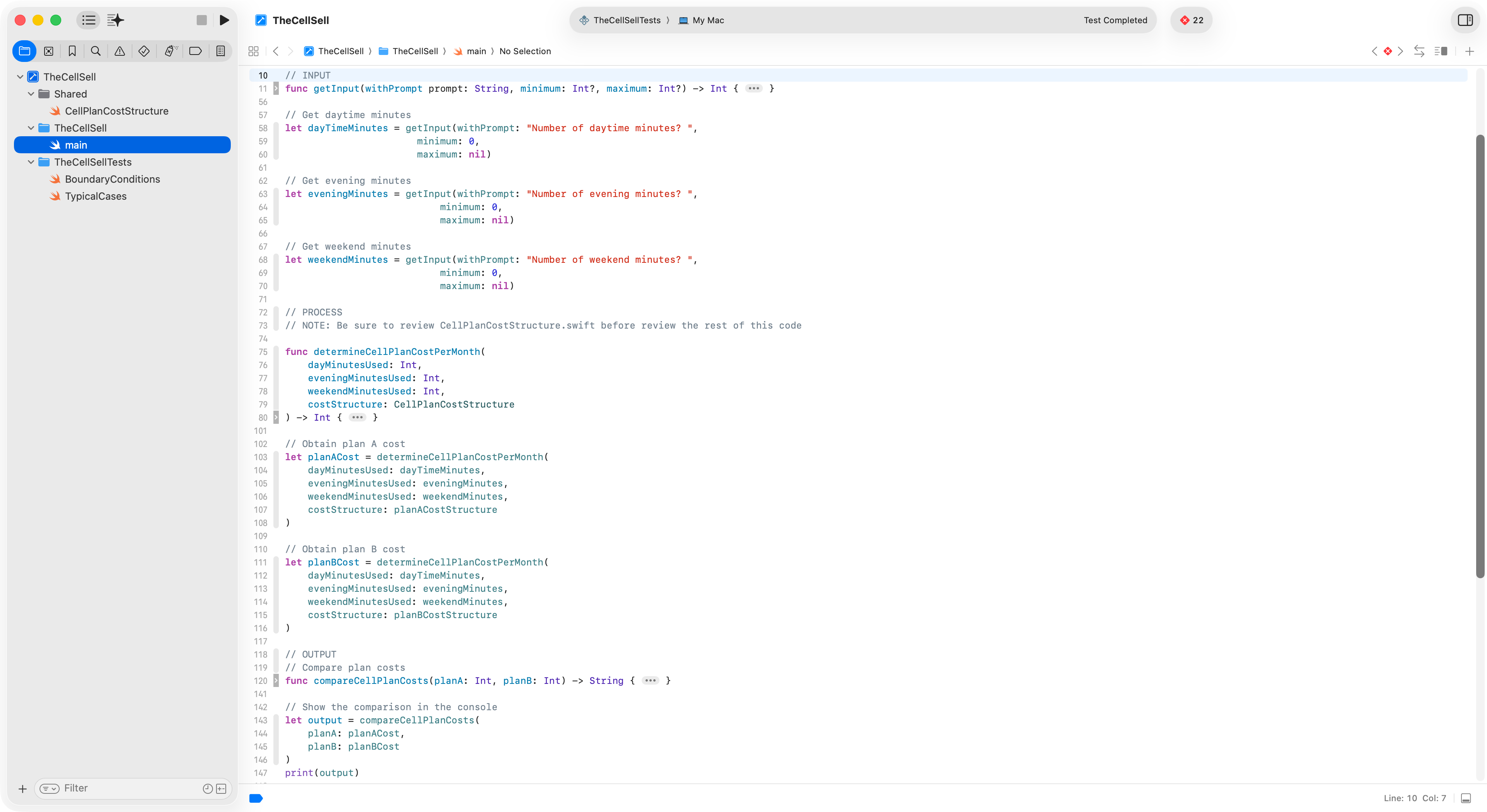
The program logic resides in main.swift – notice how logic has been compartmentalized into functions for the input, process, and output portions of the program:
TIP
Using functions makes the logic testable – as you will see in a moment when you review the code in the test suite.
Test suite
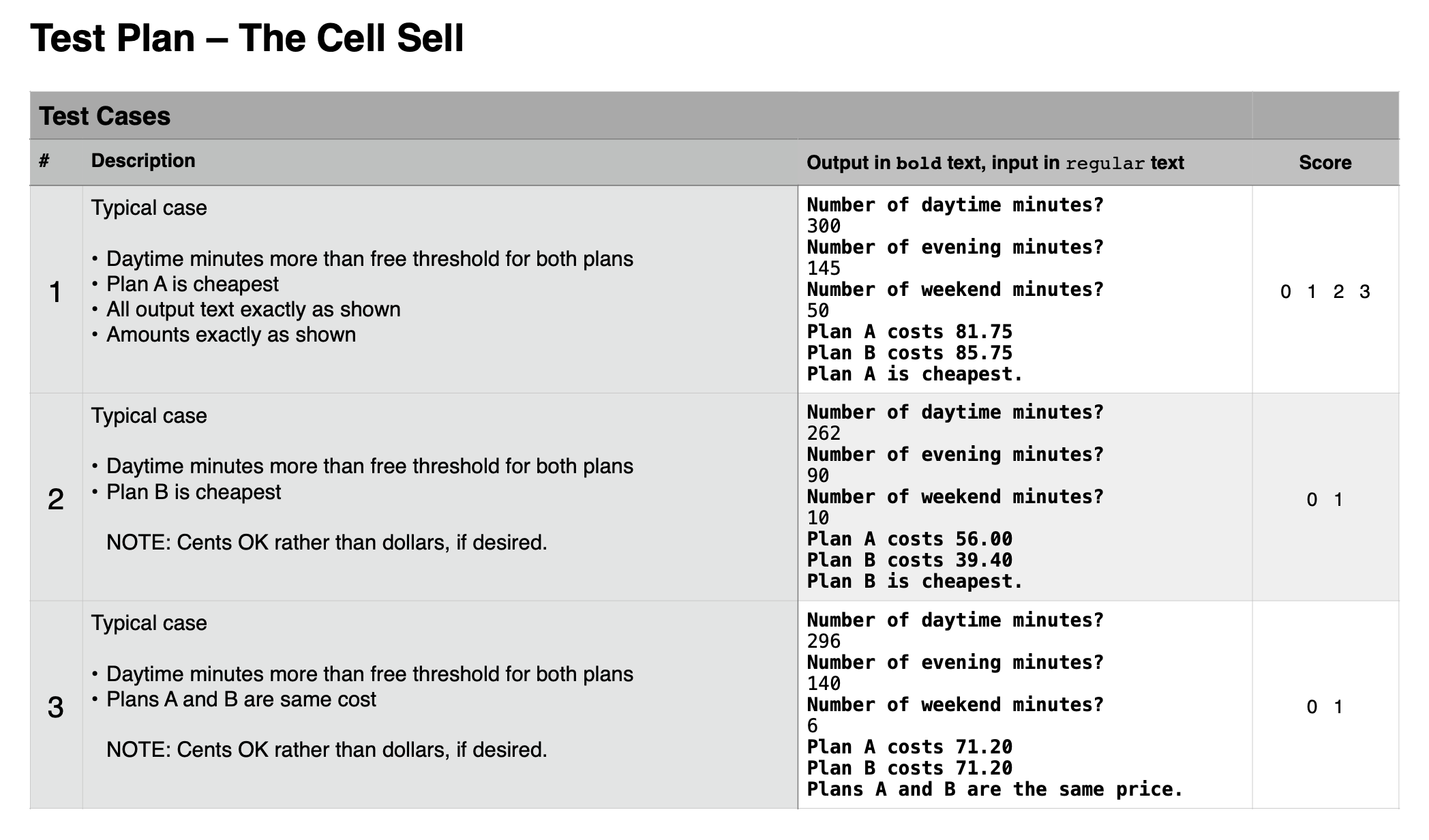
Tests are defined in two files under the TheCellSellTests group:
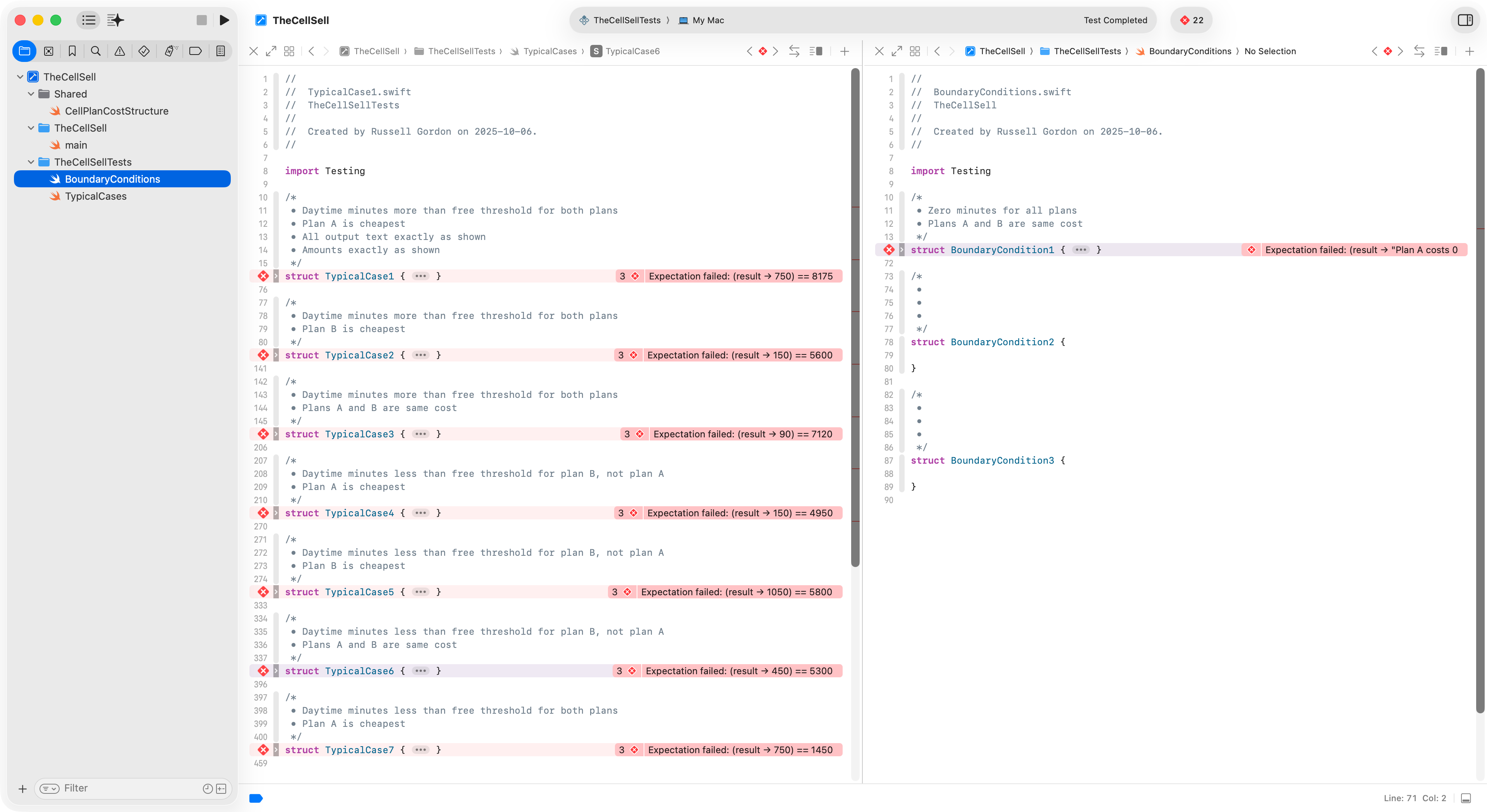
Notice how these mirror the tests that you used last week for verifying your Cell Sell solution:
TIP
Take a moment to browse the source code for each unit test and observe how it invokes the functions defined in
main.swift.
Shared code
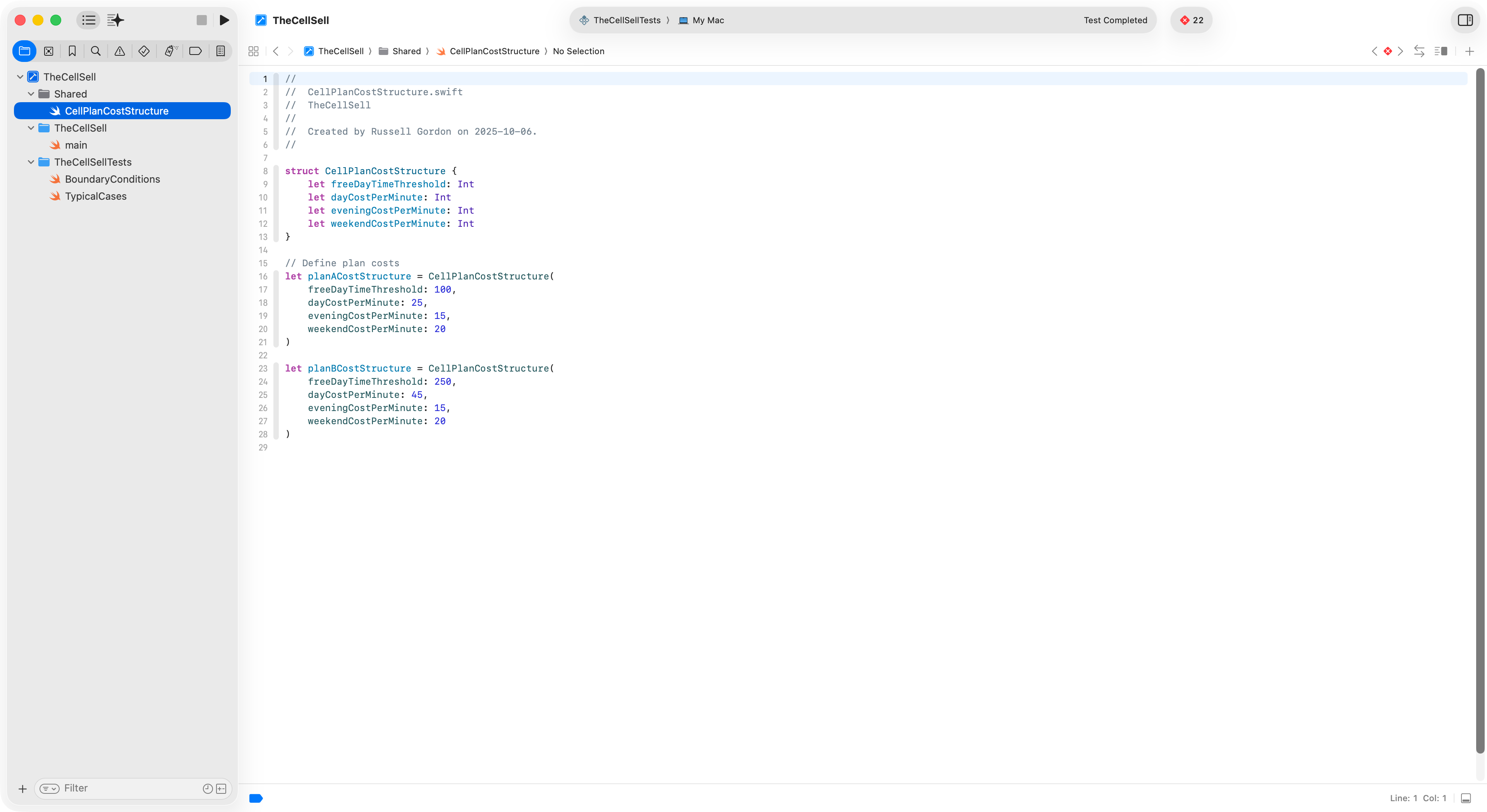
Notice there is one file with code that is shared between both targets:
CONSIDER
Review the source code of the main program and the test suite.
How does the code displayed above help the overall project adhere to the D.R.Y. principle – don’t repeat yourself?
Write a response together with your partner (but with each of you writing in your own portfolio entry for today’s class).
Exercise
1. Correct the program logic
There are currently many failing tests presenting. Review the program specifications for The Cell Sell.
With your partner, find and correct all of the logical errors in the program, so that all of the tests in the test suite pass.
NOTE
Please document the corrections you made and found in your portfolio post for today’s class.
2. Write additional tests
Some boundary condition tests are missing.
Review the concept of how to test boundary conditions.
Using existing test plan code that was provided as a model, write at least two more unit tests. Ensure that the program logic works as expected.
TIP
When authoring unit tests, you must work out manually (on paper, or a whiteboard) what the expected outputs are. Include these in your tests – then verify that the program logic provides correct output.
3. Share
At the end of this period, be prepared to speak to one portion of your work, with your partner, to the class.
Mr. Gordon will assess your use of vocabulary and provide some feedback to you and your partner before you leave class today, or, via your portfolio if time does not permit an in-class conversation.
4. Extension
Optionally, try re-factoring the solution you came up with to The Cell Sell from last class.
Ensure that it uses functions with the same signature (name, parameters) as those provided earlier.
Replace the logic in main.swift in the provided project, then run the test suite against your code. Do all the tests pass? If not, why not?