Problem
For the LCS Check In app, we maintain two Supabase databases: a Development DB that you, students, can access, and a Production DB accessible only to Mr. Gordon and other adults at Lakefield College School.
The LCS Check In project uses Swift and SwiftUI to build client-side apps with a DatabaseConnection class that selects the DB based on the build configuration:
- Debug → use Development credentials (compiled directly in the app)
- Release → read Production credentials from
production_credentials.jsonin the app bundle
Because the production JSON file is not in Git (by design) and lives only on the Mr. Gordon’s computer, your builds – student builds – failed because Xcode couldn’t find production_credentials.json referenced in the Copy Bundle Resources step of the build phase of the project:
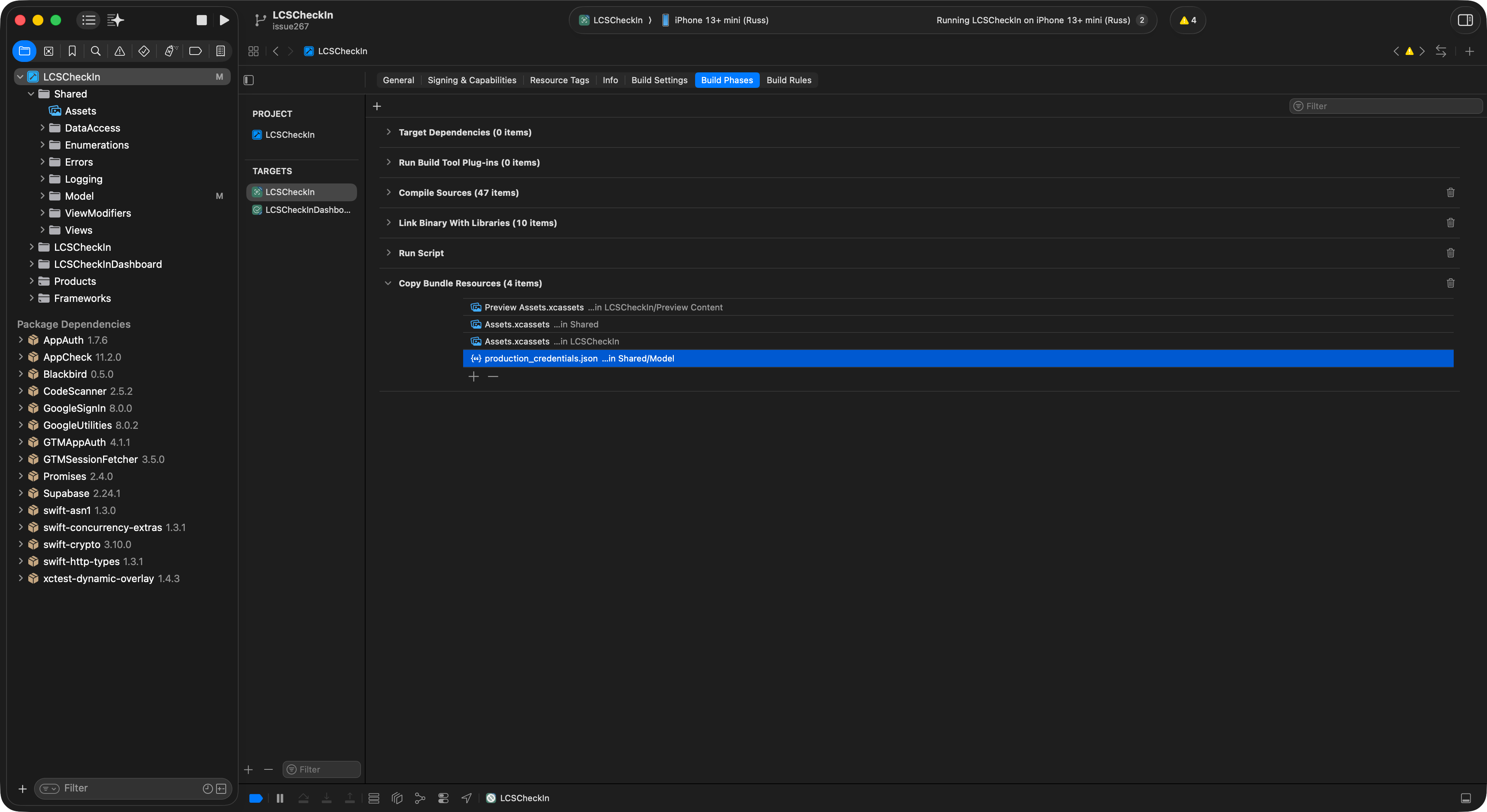
Earlier, Mr. Gordon had you work around this by manually creating an empty file via Terminal, but that was error‑prone and tedious, as the process would have to be repeated for new branches, fresh clones of the remote repository, and so on.
Solution
We have added an Xcode “Run Script” build phase (placed above Copy Bundle Resources) that auto‑creates a safe placeholder JSON file when it’s missing:
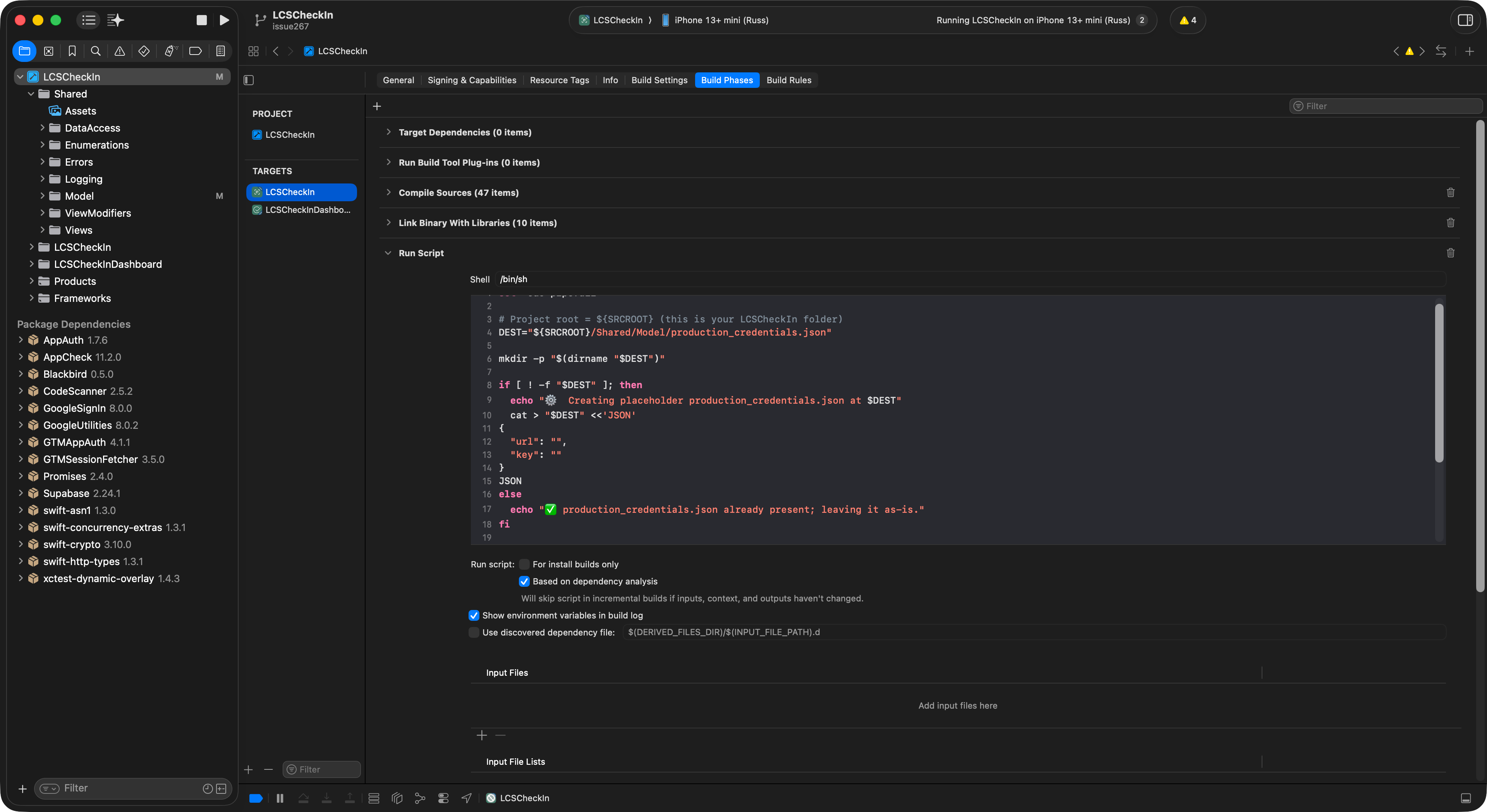
This means fresh clones/branches build without extra steps for each of you, the students in our class, while still keeping real production secrets out of source control (and only on Mr. Gordon’s computer).
Example script (tailored path shown):
set -euo pipefail

# Project root = ${SRCROOT}
DEST="${SRCROOT}/Shared/Model/production_credentials.json"

mkdir -p "$(dirname "$DEST")"

if [ ! -f "$DEST" ]; then
  echo "Creating placeholder production_credentials.json"
  cat > "$DEST" <<'JSON'
{
  "url": "",
  "key": ""
}
JSON
fi
We have also added an Output Files step to the build phase:
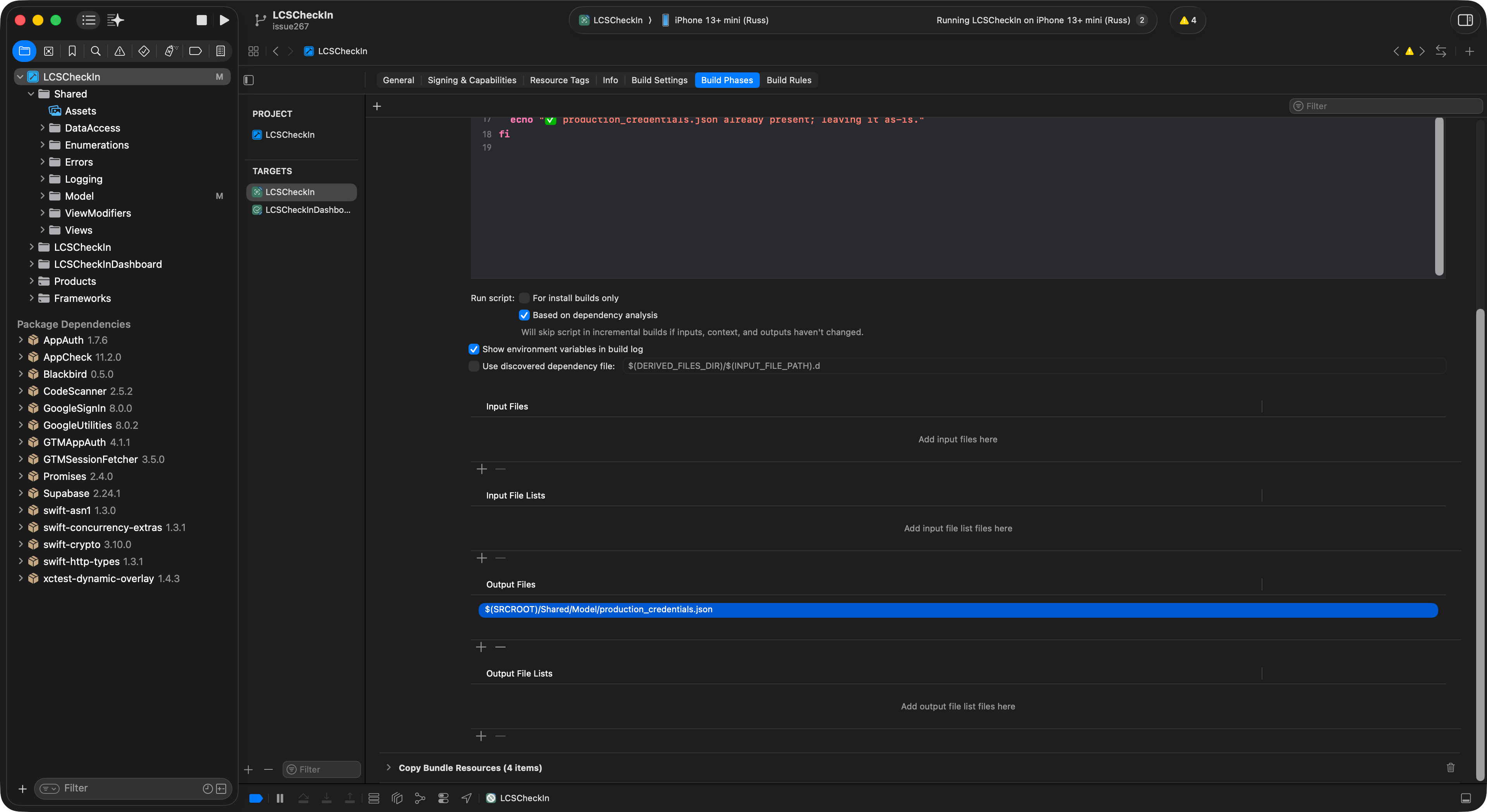
… so that Xcode knows the script produces this file:
$(SRCROOT)/Shared/Model/production_credentials.json
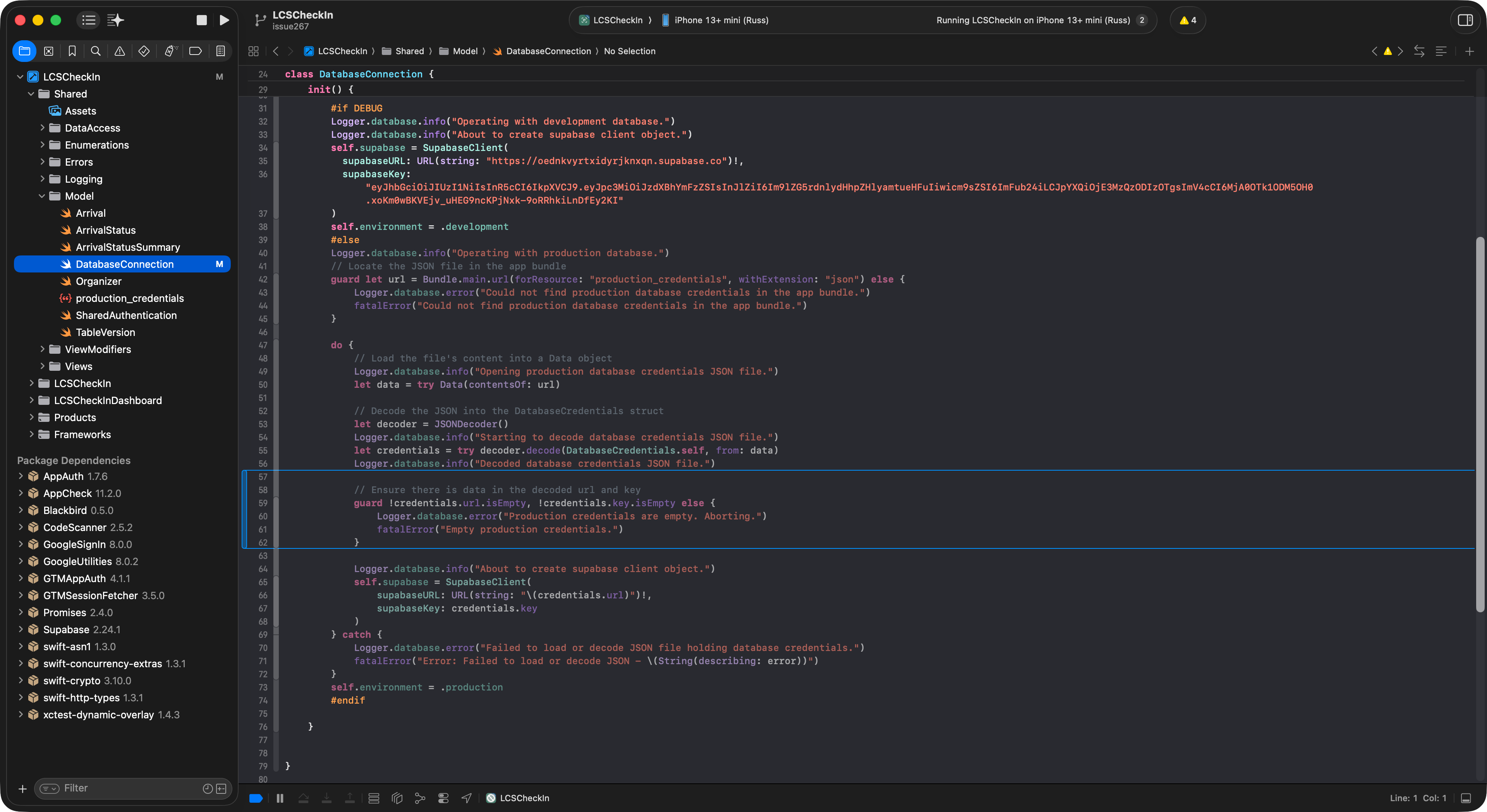
Finally, a runtime guard was added to the Release path in the DatabaseConnection class so that the app refuses to run with empty production credentials:
guard !credentials.url.isEmpty, !credentials.key.isEmpty else {
    fatalError("Empty production credentials.")
}
… like this:
Why it works
- Xcode’s build fails if a file listed in Copy Bundle Resources is missing.
- The Run Script executes before that phase and creates the file, preventing the failure.
- The placeholder is valid JSON but contains empty values, so even if someone unintentionally switches to Release, the runtime guard stops the app from using production with blank secrets.
- Real production credentials remain on the Mr. Gordon’s machine only and are kept out of the Git repository via
.gitignore.
Takeaways
- Build configurations (Debug vs Release) can cleanly separate dev vs prod behavior.
- Run Script build phases let you customize Xcode’s pipeline to generate artifacts, validate environment, or enforce rules before packaging.
- Security principle: never commit secrets; use local files or CI secrets and fail fast when secrets are missing.
- Developer experience: small automation steps (like this script) reduce friction for collaborators and students, keeping the focus on learning and building.
Curriculum connections
Strand B — Software Development: In this situation, you are working like a real developer: managing build configurations, using an automated pre-build script, and collaborating through version control.
Strand D — Ethics, Emerging Tech, Careers: Sensitive production credentials have been protected by keeping them out of source control and by adding a fail-fast check. This models professional data stewardship and privacy practices you’ll use in industry: only the right people should have access, and the app refuses to run if secrets are missing or unsafe.
Strand A — Programming Concepts & Skills: Conditional compilation has been applied (#if DEBUG) to switch safely between development and production. Guard clauses are used for robust error handling. These techniques make software more reliable and easier to maintain as projects grow.
NOTE
Mr. Gordon was (frankly) vaguely aware that customization of the build process in an Xcode project was possible, but used ChatGPT to identify the specific steps, and to co-develop this summary – which he then edited for length and clarity.
You can review how he prompted the LLM here.